Overview
Small, fast, self-hosted observability. Structured logs, traces and metrics in one ~11 MB binary with one data directory and no external services.
Observability should not require more resources than the software being observed.
docker pull ghcr.io/rowan-smith/vyrtel:latest
docker run -p 8080:8080 -v vyrtel-data:/data ghcr.io/rowan-smith/vyrtel:latest
Vyrtel 0.1.1

Web UI              http://localhost:8080
Data directory      /data
HTTP                http://0.0.0.0:8080
OTLP HTTP           http://0.0.0.0:8080/v1/*
Storage             0 B
Memory limit        512 MB
Durability          normal
Authentication      login for the UI/API; ingestion open until an ingest API key is created

Admin login         admin / 3f9c2a7d41b08e6c5a2d9f10
                    (generated once; set auth.admin_password to choose your own)

Ready.
Open http://localhost:8080 and you get Logs · Traces · Metrics · Dashboards · Alerts. No setup wizard, no database connection string, no cluster configuration.
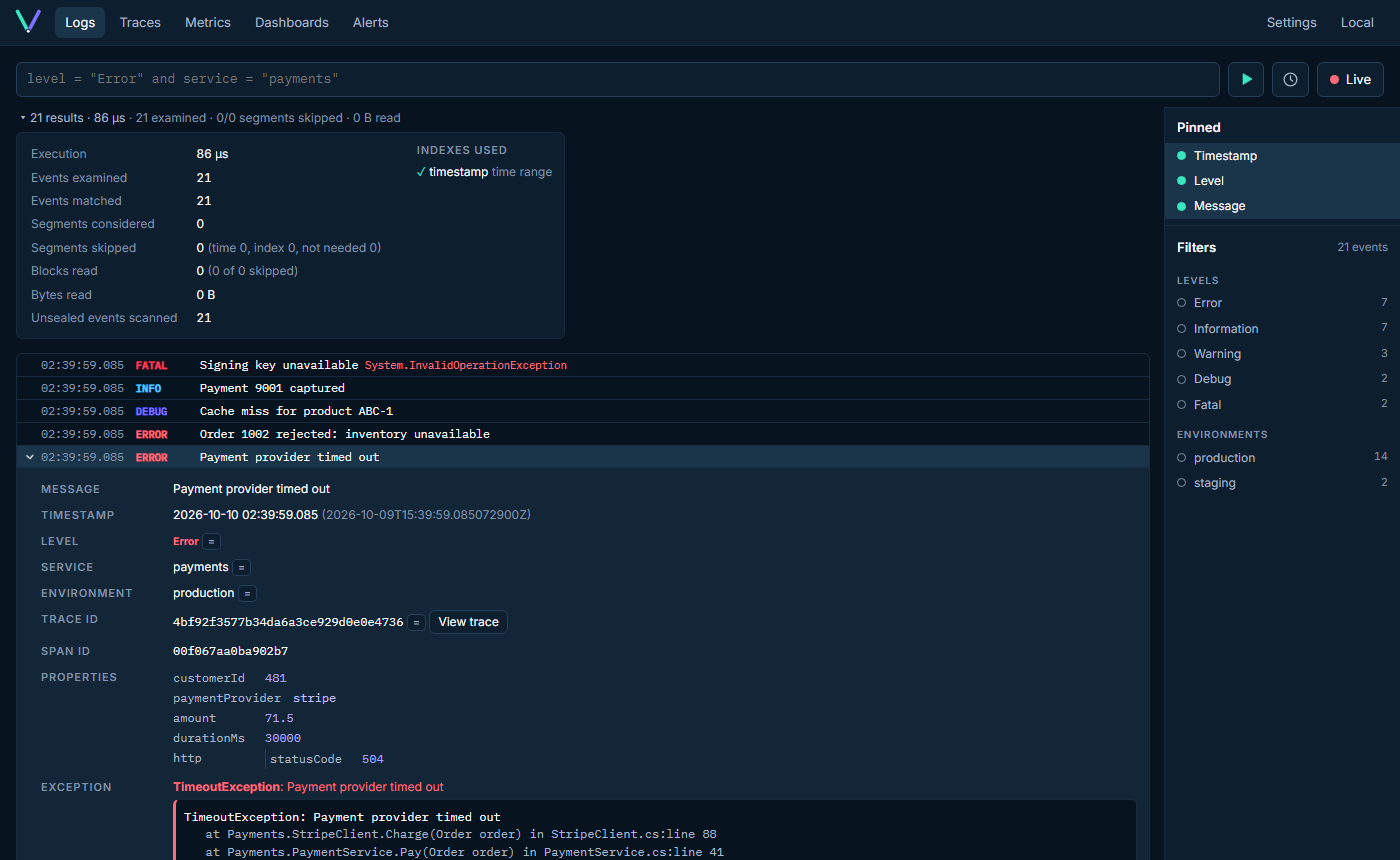
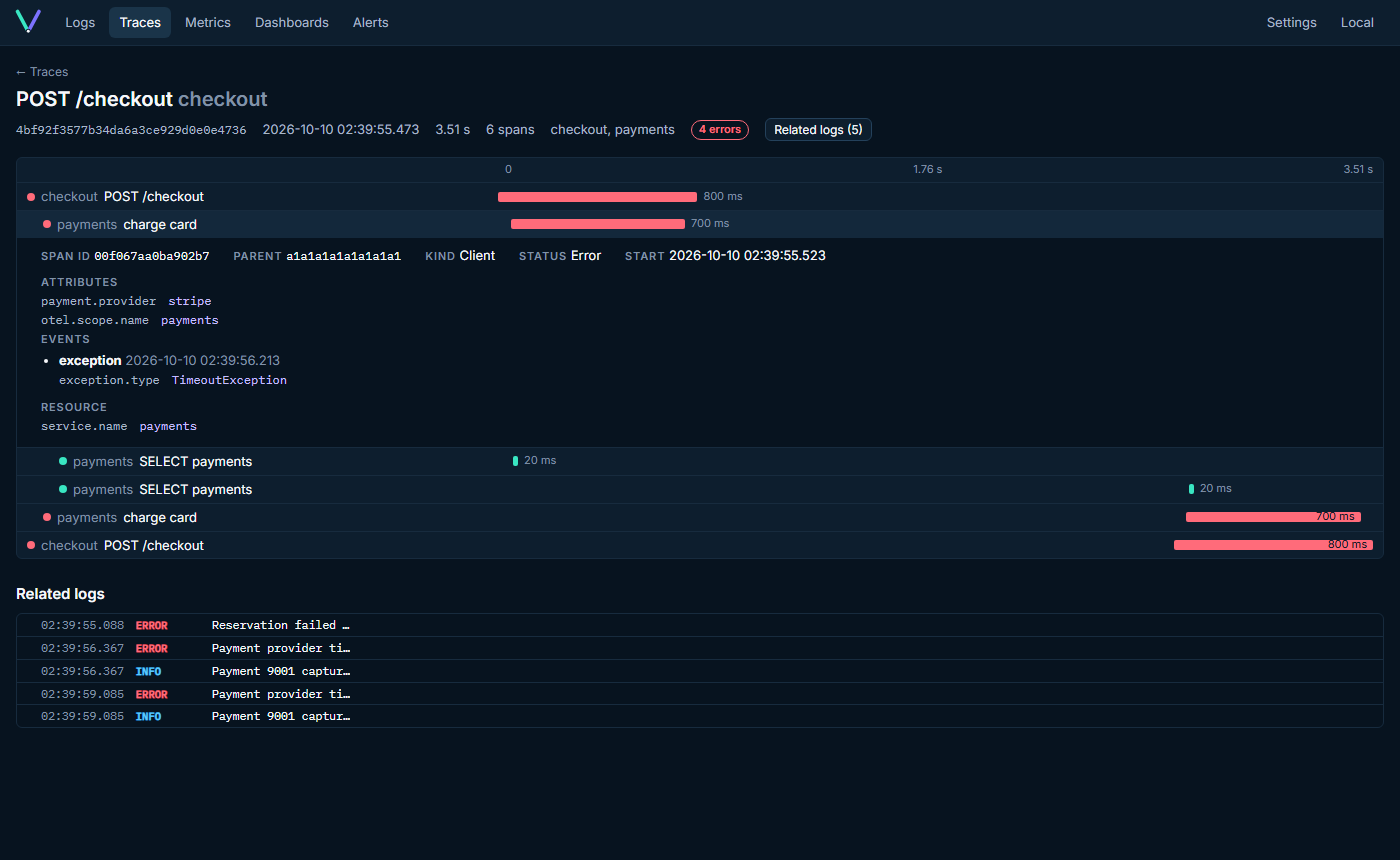
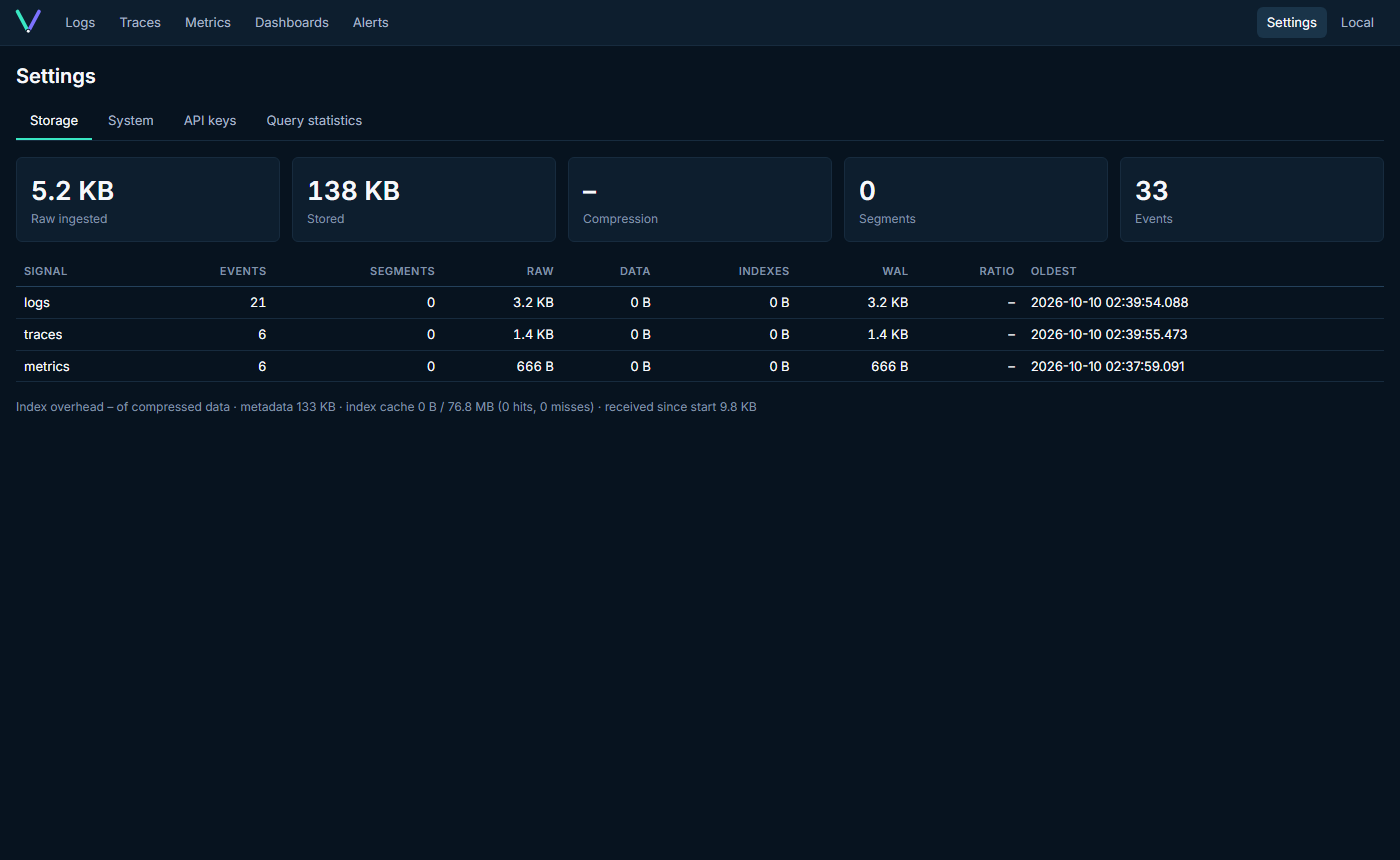
| Trace waterfall with related logs | Storage statistics |
|---|---|
 |
 |
(Regenerate with SCREENSHOTS=1 npx playwright test screenshots in web/.)
What problem it solves
Most observability stacks need a search cluster, a time-series database, a message queue and a few gigabytes of RAM before they show their first log line. Vyrtel is for teams and side projects that want good structured-log search, basic tracing and metrics without operating infrastructure:
- one process (HTTP API, OTLP ingestion, query engine, storage, metadata, web UI, background jobs);
- one data directory (
./data), crash-safe, with bounded memory; - idle at ~20 MB of RAM; 10,000 events/s on a laptop with ~110 MB.
Features
- Logs (the hero feature): structured JSON/NDJSON ingestion (Serilog
CLEF compatible), a small query language
(
level = "Error" and http.statusCode >= 500), live tail with pause/resume, vertical event inspection with exceptions and stack traces, filter panel with detected fields, compact histogram, and query diagnostics showing exactly which segments, blocks and indexes were used. - OpenTelemetry: OTLP/HTTP for logs, traces and metrics (protobuf or JSON, gzip).
- Traces: search, waterfall view, span details, logs ↔ trace navigation.
- Metrics: counters, gauges and histograms with sum/count/min/max/avg/last and group-by, plotted over time.
- Dashboards: log count, metric line, single statistic and saved query panels on a simple grid.
- Alerts: log-count threshold alerts with OK/FIRING/ERROR state, history and webhook delivery.
- Storage you can see: append-only WAL with CRCs, immutable zstd segments with time ranges, bitmap indexes, Bloom filters and zone maps; compression ratio and index overhead are shown in Settings → Storage.
- Operations: per-signal retention, compaction, crash recovery,
strict/normaldurability, API keys, admin login, health/readiness endpoints, Docker image running as non-root.
Quick start
From source
Requirements: Rust (stable), a C compiler, Node.js 22+.
git clone https://github.com/rowan-smith/Vyrtel.git vyrtel && cd vyrtel
cd web && npm ci && npm run build && cd ..
cargo run --release -p server
Docker
Prebuilt multi-arch images (amd64, arm64) are published with every release.
latest is the newest stable release; prereleases are only tagged with their exact version
(e.g. 0.1.2-rc.1). Binaries and SHA256SUMS are on the
releases page; see
docs/releasing.md for how releases are validated.
docker pull ghcr.io/rowan-smith/vyrtel:latest
docker run -p 8080:8080 -v vyrtel-data:/data ghcr.io/rowan-smith/vyrtel:latest
Or build the image yourself:
docker build -t vyrtel .
docker run -p 8080:8080 -v vyrtel-data:/data vyrtel
Keep /data on a named volume (as above) and the data survives
recreating or upgrading the container. For a bind mount such as
-v ./vyrtel-data:/data on Linux, run sudo chown -R 65532:65532 vyrtel-data
first: the image runs as the non-root uid 65532, and an unwritable directory
stops it with a hint saying so — see
configuration.
Send your first event
curl -X POST http://localhost:8080/api/v1/events \
  -H 'content-type: application/json' \
  -d '{
    "level": "Error",
    "service": "payments",
    "message": "Payment failed",
    "traceId": "abc123",
    "properties": { "customerId": 481, "paymentProvider": "stripe", "amount": 71.50 },
    "exception": { "type": "TimeoutException", "message": "Payment provider timed out" }
  }'
…or point any OpenTelemetry SDK / Collector at it:
export OTEL_EXPORTER_OTLP_ENDPOINT=http://localhost:8080
export OTEL_EXPORTER_OTLP_PROTOCOL=http/protobuf
Want realistic data? cargo run --release -p loadgen -- --rate 1000 --duration 60s --traces-every 200.
Run a query
In the UI type level = "Error" and service = "payments" and press Enter,
or:
curl -X POST http://localhost:8080/api/v1/query/logs \
  -H 'content-type: application/json' \
  -d '{"query": "customerId = 481 and message contains \"failed\"", "from": "-1h"}'
More examples:
durationMs > 500
http.statusCode >= 500 and not environment = "staging"
traceId = "4bf92f3577b34da6a3ce929d0e0e4736"
level >= Warning and (service = "orders" or service = "payments")
"timed out"
Development
cargo run -p server -- --data-dir ./data-dev     # API on :8080
cd web && npm ci && npm run dev                   # UI with hot reload on :5173
Details: docs/development.md.
Testing
cargo test --workspace                 # unit, property, recovery, correctness, integration
cd web && npm test                     # Vitest + React Testing Library
cd web && npm run build && cd .. && cargo build -p server && cd web && npx playwright install chromium && npm run e2e
cargo bench -p storage -p query        # Criterion benchmarks
dotnet run --project dotnet/Vyrtel.Benchmark -c Release -- --job short   # ingest + query over HTTP
dotnet run --project dotnet/Vyrtel.Baseline -c Release -- --runs 5   # reproducible baseline + regression budgets
Details: docs/testing.md.
Measured numbers
Release build on a Windows 11 laptop (numbers vary with hardware and data shape; see docs/testing.md for method):
| Binary size (with embedded UI) | 11.2 MB |
| Idle memory | ~20 MB working set (4.7 MB private) |
Sustained ingest via loadgen --rate 10000 |
10,063 events/s, 0 rejected, 5.3 ms mean request latency |
| Memory while ingesting 300k events | ~112 MB working set |
| Compression on loadgen data | 4.9× (raw encoded ÷ segment data + indexes) |
| Index + metadata overhead | 9.2% of compressed data |
| External services required | 0 |
Documentation
- Architecture — process layout, ingestion, storage and query paths
- Storage format — WAL, segments, indexes, commit & recovery
- Query language
- HTTP API
- Configuration
- Development
- Testing
- Benchmarks — live results, how they are measured, and reproducible baselines
- Roadmap
- Brand guide — name, voice, logo, Aurora palette, typography, motion
Current limitations
- Single node only; no replication or clustering (by design for v0.1).
- OTLP over HTTP only (no gRPC). Exponential histograms and summaries keep only count/sum.
message containsscans (no full-text index yet); no regex or wildcards.- Metrics aggregation works on raw data points (no rate() for cumulative counters, no percentiles yet).
- Alerts: log-count thresholds with a generic webhook only.
- Authentication is a single admin user plus API keys; it is off by default — enable it before exposing Vyrtel, and terminate TLS in a reverse proxy.
- Retention is per signal at segment granularity.
Roadmap
Current: 0.1.2 — Reliability and release confidence. Next: 0.1.3 — Complete everyday workflows. Planned 0.2 work covers shared search and a friendly query builder, metrics and SDK interoperability, retention and alert operations, privacy and user audit trails, dashboard authoring, and a SIEM starter. Ingest/Core node foundations follow in 0.3; object-storage tiering and replication remain discovery work. See docs/roadmap.md for the milestone sequence and links to the planned backlog.
Contributing
Contributions are welcome. See CONTRIBUTING.md for how to get started. All contributors sign a Contributor License Agreement once: the Individual CLA, plus the Corporate CLA when contributing on behalf of an employer. The CLA bot walks you through it on your first pull request.
License
MIT — see LICENSE.