Developer friendly
Launch and send. Run ./vyrtel, POST JSON or point OpenTelemetry at it, and search what arrives. No schema, no setup wizard, no agents to configure.
Vyrtel 0.1.1 · open source · MIT
Developer-friendly observability: launch one ~11 MB binary, send it logs, traces and metrics, and start asking questions. Small, fast, light, and everything included.
$ docker run -p 8080:8080 -v vyrtel-data:/data ghcr.io/rowan-smith/vyrtel:latest
4.66 s · 6 spans · checkout, payments
signal → context → cause → understanding
Why Vyrtel
A complete observability stack that starts in a second and fits on the smallest server you have.
Launch and send. Run ./vyrtel, POST JSON or point OpenTelemetry at it, and search what arrives. No schema, no setup wizard, no agents to configure.
One ~11 MB binary with the web UI built in, and one data directory. Copy it anywhere, or run the Docker image.
10,000 events per second on a laptop. Indexes, Bloom filters and time ranges let queries skip most of the data before reading it.
About 20 MB of memory when idle, with a memory limit you set. Compressed segments keep the disk footprint small.
The whole stack in the box, sharing one query language.
Today Vyrtel is a single node that scales with its machine. Planned for 0.3: separate Ingest nodes forwarding to one Core owner, followed by operational hardening. Standalone query roles, storage sharding and replication remain discovery work.
How it works
Logs, traces and metrics live in the same process and the same query language, so the path from “something is wrong” to “this is why” is a few clicks, not a few tools.
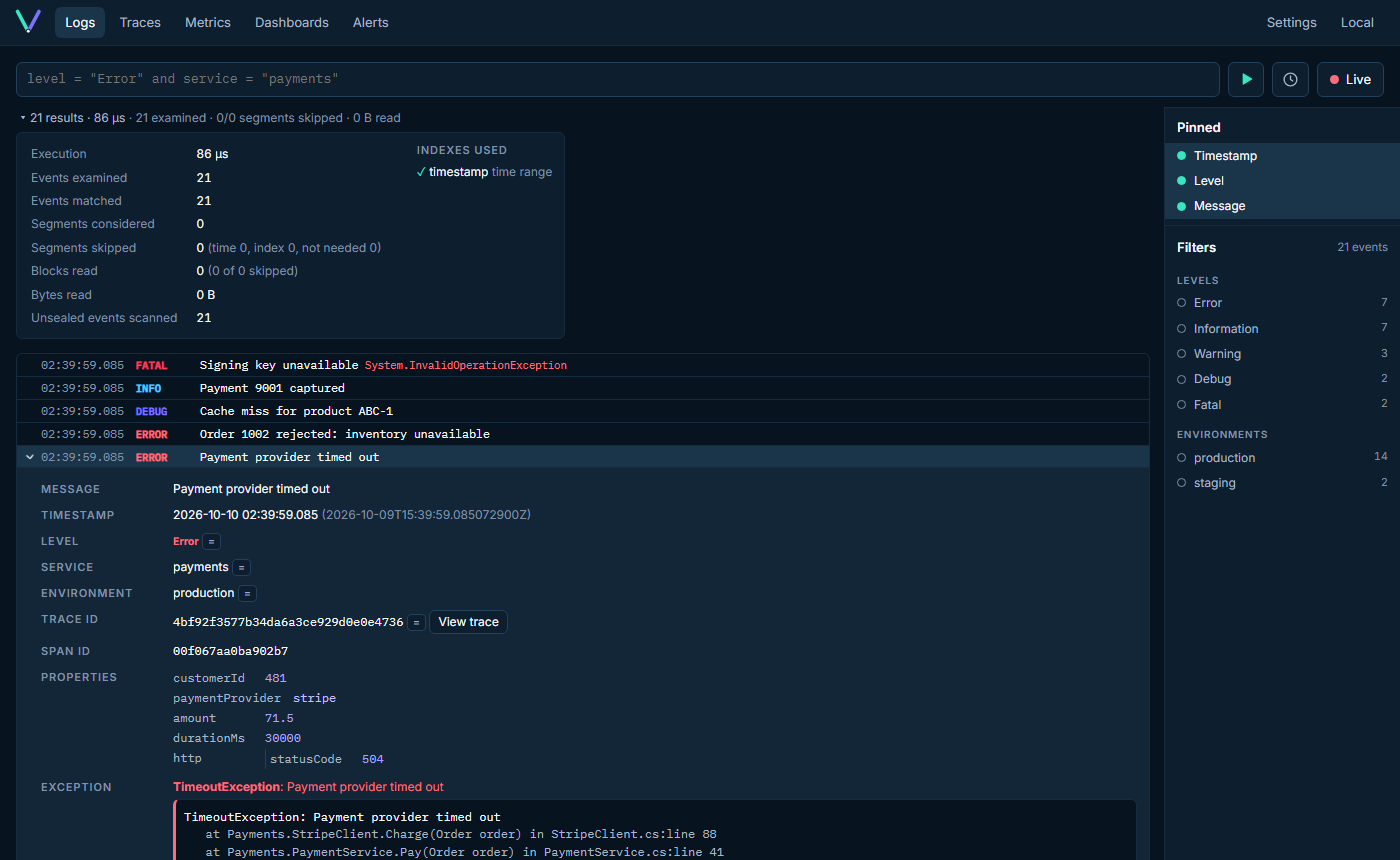
Search structured events with a small query language, watch them arrive with live tail, and open any event vertically: properties, exception, stack trace.
level = "Error" and service = "payments"
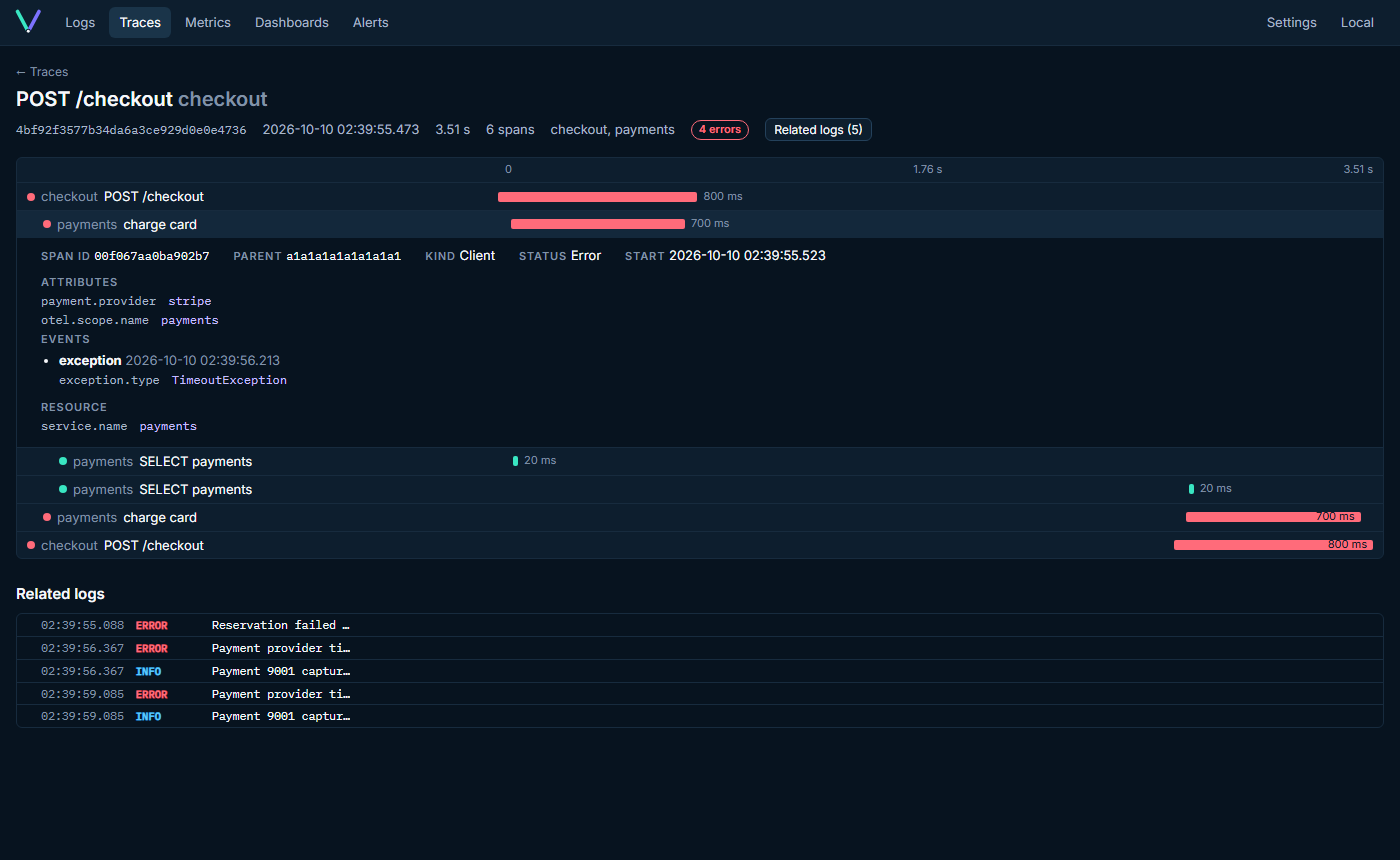
Jump from a log line to its trace. The waterfall shows which span was slow or failed, with every related log right underneath.
traceId = "4bf92f3577b34da6…"
Put metrics and log counts on a dashboard, alert when a threshold is crossed, and see exactly how each query used the indexes.
count > 100 in 5 min → webhook
The product
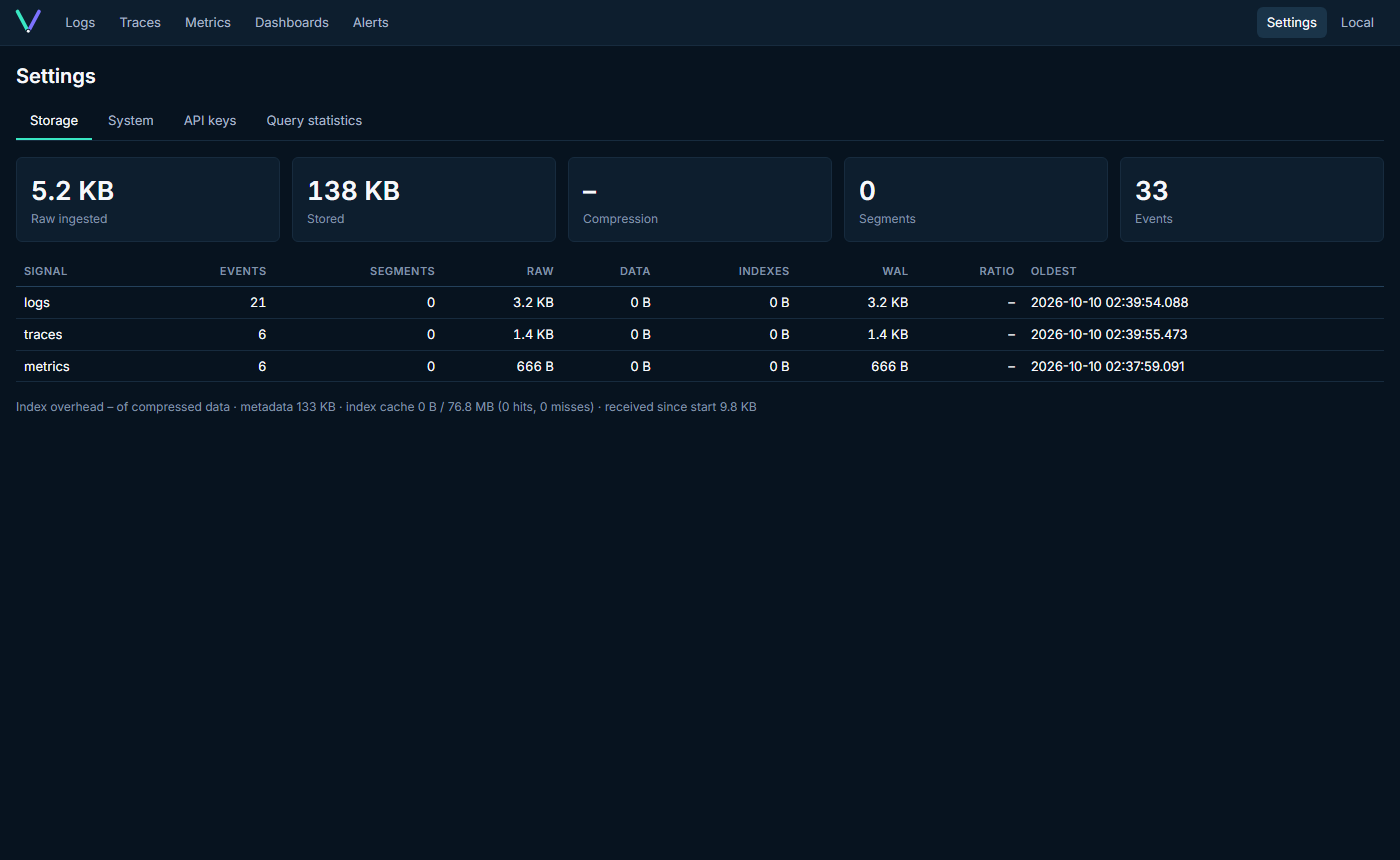
Dark, dense and fast. Every screen below is the real app, captured by its end-to-end tests.
Everything in the box
JSON / NDJSON ingestion (Serilog CLEF compatible), a readable query language, live tail with pause, a filter panel built from detected fields and a compact level histogram.
Point any OpenTelemetry SDK or Collector at it. Logs, traces and metrics, protobuf or JSON, gzip.
Search traces by status, duration or service; inspect spans; navigate logs ↔ traces both ways.
Sum, count, min, max, avg and last with group-by, plotted over any time range.
Log counts, metric lines, single stats and saved queries side by side.
Log-count alerts with OK / FIRING / ERROR state, history and webhook delivery.
Append-only WAL with checksums, immutable zstd segments, bitmap indexes, Bloom filters and zone maps. Bounded memory, automatic recovery.
Per-signal retention, compaction, strict or normal durability, API keys, admin login, health endpoints and a non-root Docker image.
Query language
Small enough to learn in a minute, precise enough for incidents. Fields come from your events, nested paths included, and every query reports what it scanned and which indexes it skipped with.
# errors from one service
level = "Error" and service = "payments"

# nested fields, comparisons, negation
http.statusCode >= 500 and not environment = "staging"

# slow requests
durationMs > 500

# level ranges and grouping
level >= Warning and (service = "orders" or service = "payments")

# free text
"timed out"$ ./vyrtel Vyrtel 0.1.1 Web UI http://localhost:8080 Data directory ./data OTLP HTTP http://0.0.0.0:8080/v1/* Memory limit 512 MB Durability normal Ready. $ curl localhost:8080/api/v1/events \ -H 'content-type: application/json' \ -d '{"level":"Error","service":"payments", "message":"Payment failed"}' {"accepted":1}
Quiet when healthy
No setup wizard, no connection strings, no cluster to plan. Start the binary, open the URL it prints, and send events over HTTP or OTLP.
OTEL_EXPORTER_OTLP_ENDPOINT=http://localhost:8080/api/v1/eventsWhy Vyrtel
Several services, several gigabytes of RAM, before the first log line.
One process, one data directory, idle at ~20 MB.
Download
Single self-contained binaries with the web UI built in. Download, run, open the printed URL.
docker pull ghcr.io/rowan-smith/vyrtel:latest
docker run -p 8080:8080 -v vyrtel-data:/data ghcr.io/rowan-smith/vyrtel:latest
Multi-arch (amd64, arm64), distroless, runs as non-root.
Documentation